
Onboard a Preconfigured CNF or VNF Package
After you add a VIM account, use the Launchpad Catalog Package Manager to onboard the DZS Cloud Orchestration preconfigured Ping-Pong CNFD or VNFD packages that you extracted in Download the Ping-Pong VNF.
-
Sign in to the Launchpad dashboard (see Browse to the DZS Cloud Orchestration UI).
-
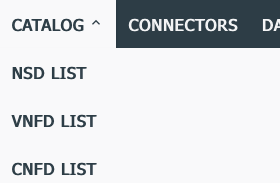
On the Launchpad Dashboard, click Catalog > CNFD LIST or VNFD LIST.
-
Click the "onboard a catalog package" icon
 to onboard a catalog package. The IMPORT DESCRIPTOR pop-up appears.
 Note: Onboard only CNF or VNF packages at this time. You'll onboard the NSD package in the next topic.
-
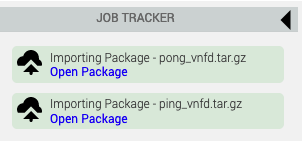
Type a File URL or navigate to the location of the first CNFD or VNFD package. For example, navigate to the location where you unzipped the
riftware-cnf-pingpong.ziparchive and multi-selectping_cnfd_with_image.tar.gzandpong_cnfd_with_image.tar.gz. -
Click IMPORT. Wait for the upload operation to complete.
The Ping-Pong packages onboard quickly, but the process could take several minutes if you are onboarding very complex preconfigured packages.
-
Repeat steps 4 and 5 until you have onboarded all the CNFDs or VNFDs you want to include in your network service (two in the case of the Ping-Pong package).
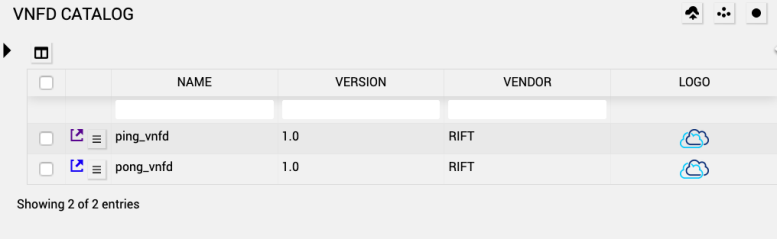
The following image illustrates how the Descriptor Catalog appears after you have onboarded ping and pong CNFD or VNFD packages:
Next steps
|
© 2020 DZS. All Rights Reserved |
Published on 8/10/2021, 4:30 PM |